Want to make your home smarter but unsure where to begin? The answers to “Do I need a hub?”, “Can this camera connect my other devices?” and “Will I have to replace my blinds?” depend on the product you choose and what you want it to do.
Whether you have an apartment in Kyrenia, a family home in Nicosia or a property you use occasionally in İskele, the starting point can be the same: choose one everyday task you would like to make easier. You do not have to transform your entire home at once. Start with one room and add devices as your needs grow.
Quick answer: An example starter setup for controlling two lights from your phone is 1 compatible Aqara hub + 2 smart bulbs. If you only want to view an E1 camera, you do not need a separate Aqara hub. For blinds, locks and sensors, check both connection requirements and physical compatibility.
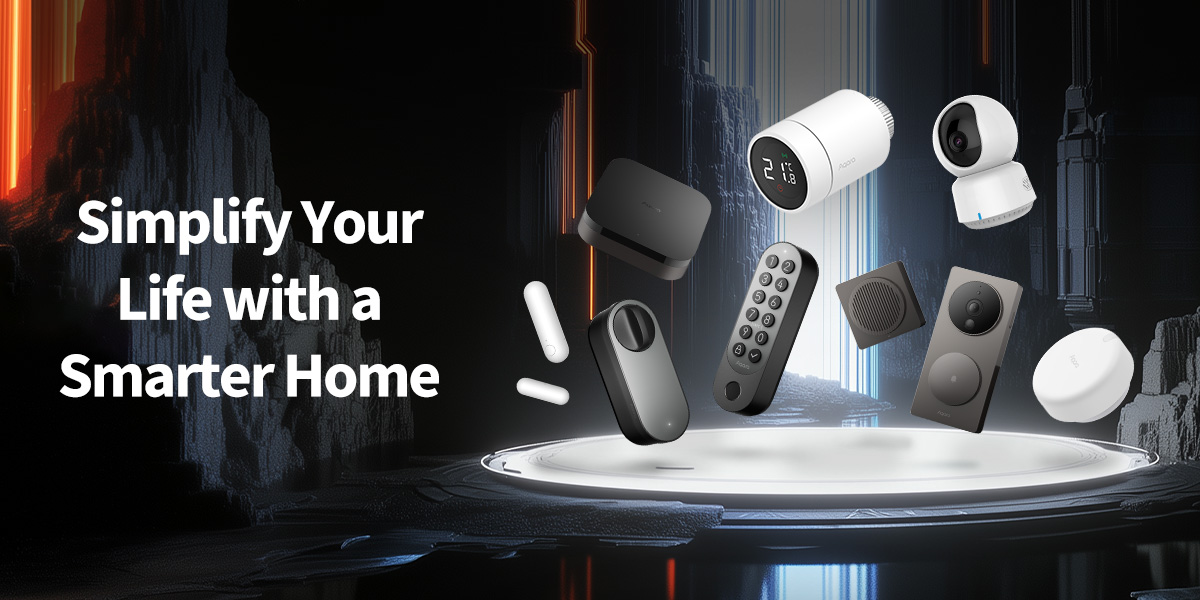
What is Aqara, and what can it do in your home?
Aqara develops smart home hubs, cameras, door locks, lighting, sensors and window-covering controllers. When compatible products work together, you can manage some everyday tasks from your phone or set rules that carry them out automatically Aqara Product families form a system you can expand around your needs.
For example, switching a light off in an app is remote control. Having it dim automatically at a particular time each evening is an automation. If you want it to switch on when a door opens, you also need a sensor that detects the opening.
A hub does not make every device in your home smart by itself. The light, blind or air conditioner you want to control must have a suitable connection method. Similarly, a sensor only detects an event; your system also needs a compatible device to carry out the action.
Which connections do you need for a smart home?
You do not have to memorise the technical terms in product names. However, understanding these differences will help you avoid buying the wrong equipment:
| Term | What does it mean? | What should you ask before buying? |
|---|---|---|
| Wi-Fi | The device connects to your home’s wireless network. Some cameras work this way | Does the product support 2.4 GHz, 5 GHz or both? |
| Aqara hub | A central device that connects compatible accessories and participates in automations. | Does the exact product model I want work with this hub? |
| Zigbee | A wireless connection used by devices such as sensors and blind drivers. | Which Aqara hub is required to use it with Aqara Home? |
| Matter over Thread | A connection arrangement that allows supported devices to work with different smart home platforms. | Do I have a Matter controller for my chosen platform and a Thread border router? |
Some devices combine the Matter controller and Thread border router in one unit. However, simply having a phone or an ordinary Wi-Fi router does not mean these requirements are met. Features can vary by product, app and firmware version Aqara's expaliantion of matter and thread connectivity identifies these two requirements separately.
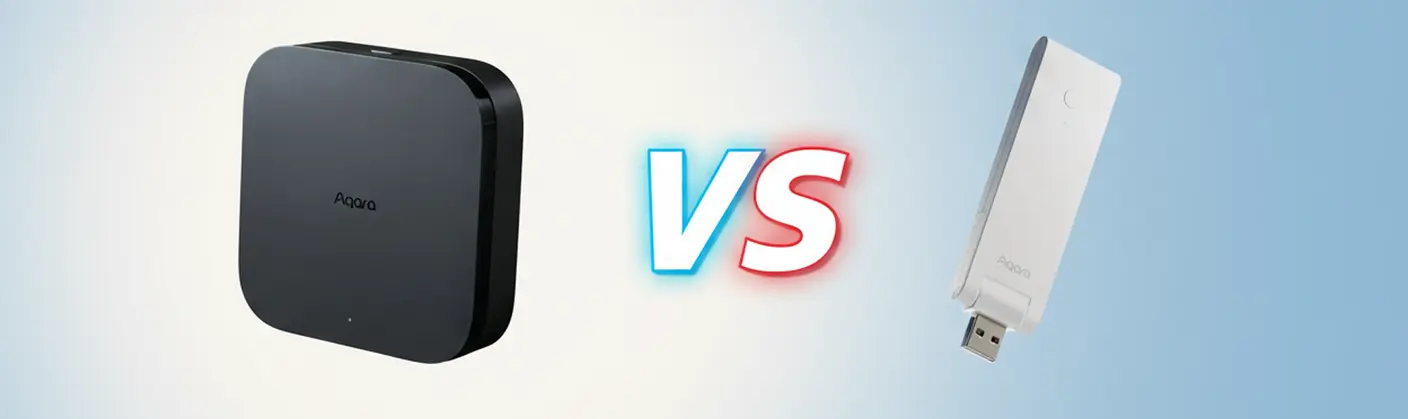
Should I choose an Aqara M100 or M3?
Aqara Hub M100This is worth considering if you want to start with a few compatible devices. It is powered through USB-A, uses 2.4 GHz Wi-Fi and can serve Zigbee and Matter/Thread setups. It is one option for a starter system with clearly defined needs. M100 Features.
Aqara Hub M3, is worth considering if you need infrared device control or connectivity such as Ethernet/PoE. Alongside Zigbee and Thread support, it includes infrared control. You do not have to wait until you are automating the whole house to choose an M3; the features you need should guide the decision M3 Features.
Which Aqara product solves which problem?
1. Controlling lights from your phone: LED Bulb T2
The T2’s CCT option suits people who want to adjust the warmth of white light. The RGB + CCT option also provides coloured lighting. For the E27 model, your light fitting must have an E27 socket.
In Zigbee mode, you use a compatible Aqara hub. In Matter over Thread mode, you need the infrastructure required by your chosen platform. Connecting the bulbs in a starter setup to the same hub through Zigbee is a straightforward way to follow a single setup method.
If the wall switch cuts power to the bulb, you cannot control it from your phone. Plan everyday use around this. A motion sensor is not required for scheduled lighting; if you want lights to respond to movement, you need a compatible detection device as well. T2 Options and connection information.
2. Opening a roller blind automatically: Roller Shade Driver E1
Aqara Roller Shade Driver E1 RSD-M01,moves the chain on a compatible beaded-chain roller blind. It is not a universal motor for every type of window covering. Do not choose this same product for curtains that slide along a track.
For one compatible roller blind, you need 1 driver + 1 compatible Aqara hub. To control two separate chain-operated blinds independently, you would normally plan for two drivers. The same hub can manage both if coverage is suitable.
Before buying, take close-up photographs of the blind mechanism and chain. Check the chain dimensions, whether the mechanism moves freely and the available mounting space. You can schedule morning opening and evening closing. Responding to actual light levels requires a suitable light-detection source as well. E1 physical comaptibility and hub requirments.
3. Viewing your home: Camera E1 or Camera Hub G3
Aqara Camera E1 is an indoor Wi-Fi camera. You do not need to buy a separate Aqara hub to use it as a camera. However, the E1 camera has no hub function, so you cannot connect Zigbee sensors to it. It needs 2.4 GHz Wi-Fi and a suitable power supply. Wireless connectivity does not mean the camera can operate without electrical power. It is not suitable for outdoor use. Aqara E1 FAQs.
The Camera Hub G3 combines a camera with a Zigbee hub. Consider it if you want both an indoor camera and a hub for compatible Zigbee devices. In that setup, you may not need an additional M100 simply to provide the hub function. Having a Zigbee hub inside the G3 does not mean every Thread device can connect directly to it. G3 Features.
4. Seeing who is at the door: Doorbell Camera Hub G410
The G410 combines a video doorbell with smart home hub features. The set’s indoor unit can serve compatible Zigbee devices and Matter/Thread connections. When choosing the product, look at the complete set, not only the doorbell unit outside.
Speaking to a visitor and unlocking the door remotely are separate functions. Buying a video doorbell does not automatically make your existing lock remotely operable. To unlock the door, you also need a suitable lock or access-control solution. G410 product and installation information.
5. Keyless entry: U200 and U200 Lite
The U200 offers options including fingerprint recognition, PIN entry and home key on supported Apple devices. Its retrofit design fits on the inside of an existing lock, which can simplify the upgrade on compatible doors. Even so, check door and cylinder compatibility before buying. The requirement for a cylinder that can be unlocked from outside while a key remains inserted inside is particularly important. U200 Lock and cylinder requirments.
Do not assume the U200 Lite is simply a cheaper U200 with all the same features. The Lite supports nearby app control over Bluetooth; remote access requires suitable Matter/Thread infrastructure. Check expectations such as fingerprints, a keypad and Apple home key against the exact model. U200 Lite Access Options.
If you rent, confirm permission for installation. If you plan to give guests access, understand how to grant and remove it beforehand. Run your first tests with the door open, and retain a mechanical backup access method.
6. Keeping your existing lighting: Dual Relay Module T2
The T2 relay module is an option for adding smart control to suitable electrical circuits without replacing your bulbs. It connects to a compatible Aqara hub over Zigbee. Having two channels does not mean a single module can control your entire home or appliances of any power rating.
Have an electrician install this product. The neutral connection, available installation space and type of connected load need to be checked. Especially for air conditioners, heaters and motors, do not select it based on total wattage alone. The T2 does not turn an ordinary bulb into a colour-changing or dimmable bulb by itself. T2 Operating Limits.
7. A home that responds to events: sensors
A door and window sensor detects opening. A motion sensor can use movement within a particular area to trigger an automation. Choose the connection protocol and hub requirements for the exact sensor model; do not treat similarly named models as interchangeable. door and window sensor, Motion sensor exampl.
The rule “Turn on the hallway light when the door opens” requires three roles: a sensor to detect the opening, a hub to provide the connection and a controllable light. Buying a sensor does not, by itself, allow it to command an ordinary lamp. Ask about the exact sensor model and current availability before ordering.
How many devices should you buy? Three clear starter examples
The combinations below are planning examples, not advertised bundles or guarantees of whole-home coverage. Your router, phone, suitable power supplies and any necessary installation must also be considered.
| Your goal | Starter shopping list | Total | What can you do? |
|---|---|---|---|
| Make two lights smart | 1 M100 + 2 T2 bulbs, with the bulbs in Zigbee mode | 3 Aqara devices | Control two lights in the app and create a scheduled routine. |
| Control living-room lighting and a blind | 1 M100 + 2 T2 bulbs + 1 Roller Shade Driver E1 | 4 Aqara devices | Create an evening routine for one compatible roller blind and two lights. |
| Add an indoor camera, blind and lighting control | 1 Camera Hub G3 + 1 Roller Shade Driver E1 + 2 T2 bulbs, with the bulbs in Zigbee mode | 4 Aqara devices | Manage camera viewing and compatible Zigbee devices within the same Aqara system. |
In the third example, the G3 acts as both camera and hub. An M100 has not been added to the count. If you already have a compatible Aqara hub, you may not need to buy another device to perform the same role when expanding your setup.
There is no fixed device count that every two-bedroom home needs. You can start with two lights; covering every blind, door and room calls for a different plan. First count the points you want to control: how many separate lights, independently operated blinds, entrances and camera viewing areas?
Do not decide how many hubs to buy based only on room count. Walls, floors, placement and connection type all matter. Extending Wi-Fi coverage does not automatically extend Zigbee coverage. Test connections in the intended locations and plan additional infrastructure if necessary.
Can I control my existing air conditioner with Aqara?
If your air conditioner uses a compatible infrared remote, control through the M3 may be an option. The brand and model must be supported, the correct remote profile must be selected and the hub must be positioned appropriately. Do not expect a hub behind a closed door in another room to control every air conditioner.
Distinguish simple remote commands from automation that makes decisions based on room temperature. The latter may need a compatible temperature-measurement source. The M3 also has a single-air-conditioner limitation for its AC bridging function through Matter; plan the connections separately if you want to control several units. M3 AC control information.
Installing an Aqara smart home: where should you start?
- Choose one goal. For example, spend your first week learning to manage two lights. Add a blind or camera afterwards.
- Prepare your compatibility information. Photograph the bulb socket, blind chain, door lock and, if relevant, air-conditioner model. Specify whether you use an iPhone or Android phone and list any smart home devices you already own.
- Install the Aqara Home app. Check the account setup, app permissions and region setting appropriate to the device’s sales region. Do not assume randomly changing regions will make every device compatible.
- Add the hub first if one is required. Follow the app’s guidance and the manual for the exact model. Complete the power and network connections, then install available firmware updates.
- Add devices one at a time. Pair them near the hub initially, then test them again in their intended locations. Make sure the bulb’s Zigbee or Thread selection matches your setup plan.
- Use clear names. Names such as “Living Room Lamp” and “Bedroom Blind” help everyone in the household use the app more easily.
- Test manual control first. Does the light switch on? Does the blind stop in the correct position? Does the lock move smoothly? Do not add automations until these checks are complete.
- Create one simple automation. For example, “Turn on the living-room light every evening at 8 pm.” You can then add the blind to the same routine if you want.
- Test everyday use and interruptions. Discuss how everyone will use the normal switches. Test which functions keep working in your own setup when the internet disconnects.
App screens may vary by version. Follow Aqara's manuals and installation videos for model-specific instructions.
How do you calculate the cost of an Aqara smart home in Northern Cyprus?
There is no single “smart home price”. A starter setup with two bulbs and a system including a door lock, camera and blind controller require different budgets. Calculate the total as follows:
Total budget = required hub + selected devices + power and mounting accessories + installation labour if needed + any recording or subscription services you choose.
For example, the device cost of the two-light starter setup is the M100 price + 2 × the price of your chosen T2 bulb. For the G3 example, calculate G3 + E1 blind driver + 2 × T2 bulbs; do not add a second hub for the same role.
When comparing prices, check what is included in each box. A camera may need a recording card, a hub may need a power adapter or a door lock may need a compatible cylinder. Ask explicitly whether installation and app setup are included in a quotation.
Browse Aqara Products and current prices at Sharaf Electro Store Stock, models and promotions can change, so base your order on the current information for the product you choose.
Frequently asked questions about Aqara
Does every Aqara device need its own hub?
No. One compatible hub can manage multiple devices. The number of hubs required depends on device type, capacity and coverage. Some Wi-Fi cameras work without a separate Aqara hub.
Will everything stop working if the internet goes down?
Supported local automations may continue if the required devices and local network remain operational. However, features such as access from outside the home, cloud recording and internet-based phone notifications will be affected. An internet outage and a power cut are different: a mains-powered device cannot operate without a power source. M100 Local Autimation Information.
Do I have to pay a subscription?
Do not assume every Aqara setup requires a monthly camera subscription. Charges may apply depending on the recording option and additional services you choose. For example, local G3 functions and third-party cloud recording services are different. If you want HomeKit Secure Video, check the relevant Apple requirements. G3 Recording and Subscription Information.
Can I use an iPhone or Android phone?
Consider use through Aqara Home separately from integration with Apple Home, Google Home or Alexa. Not every product feature is available in the same way on every platform. Features such as Apple home key require a supported Apple device and a suitable lock; Android users should consider the other access methods offered by their chosen model.
Will a smart home definitely reduce my electricity bill?
Setting switch-off times for lights that are left on unnecessarily and organising device use may help. However, it would not be accurate to promise a fixed saving. The result depends on your current consumption, the rules you create and your habits.
Can I start in a rented home?
Options such as a smart bulb in a compatible socket or a camera placed on a table may be suitable. For blind drivers, locks and products that require changes to electrical wiring, confirm the installation method and your landlord’s permission beforehand.
What is the most common buying mistake?
Assuming a single product will complete the entire scenario. Buying a blind driver without a hub, a sensor without a controllable light or a smart lock without checking the door can leave you with an incomplete setup. Write down the result you want first, then choose the parts required to achieve it.
Choose the right Aqara starting point for your home
Instead of simply saying “I want a smart home”, start with “I want to control two lights and one roller blind from my phone.” This makes it much easier to identify the equipment you need and the total budget.
When contacting Sharaf Electro Store, share your room count, the points you want to control, your phone’s operating system and the devices you already own. If you are considering a blind driver or lock, include photographs of the mechanism. Ask about compatibility before buying and, if installation is available, what the service covers.
Explore Aqara Products · Contact Sharaf on WhatsApp